How To Bridge To HyperEVM: Gas, Routes And Safety Checks
How to bridge to HyperEVM step by step: why you need HYPE for gas, HyperCore vs HyperEVM, the three routes in, and the checks to run before you send.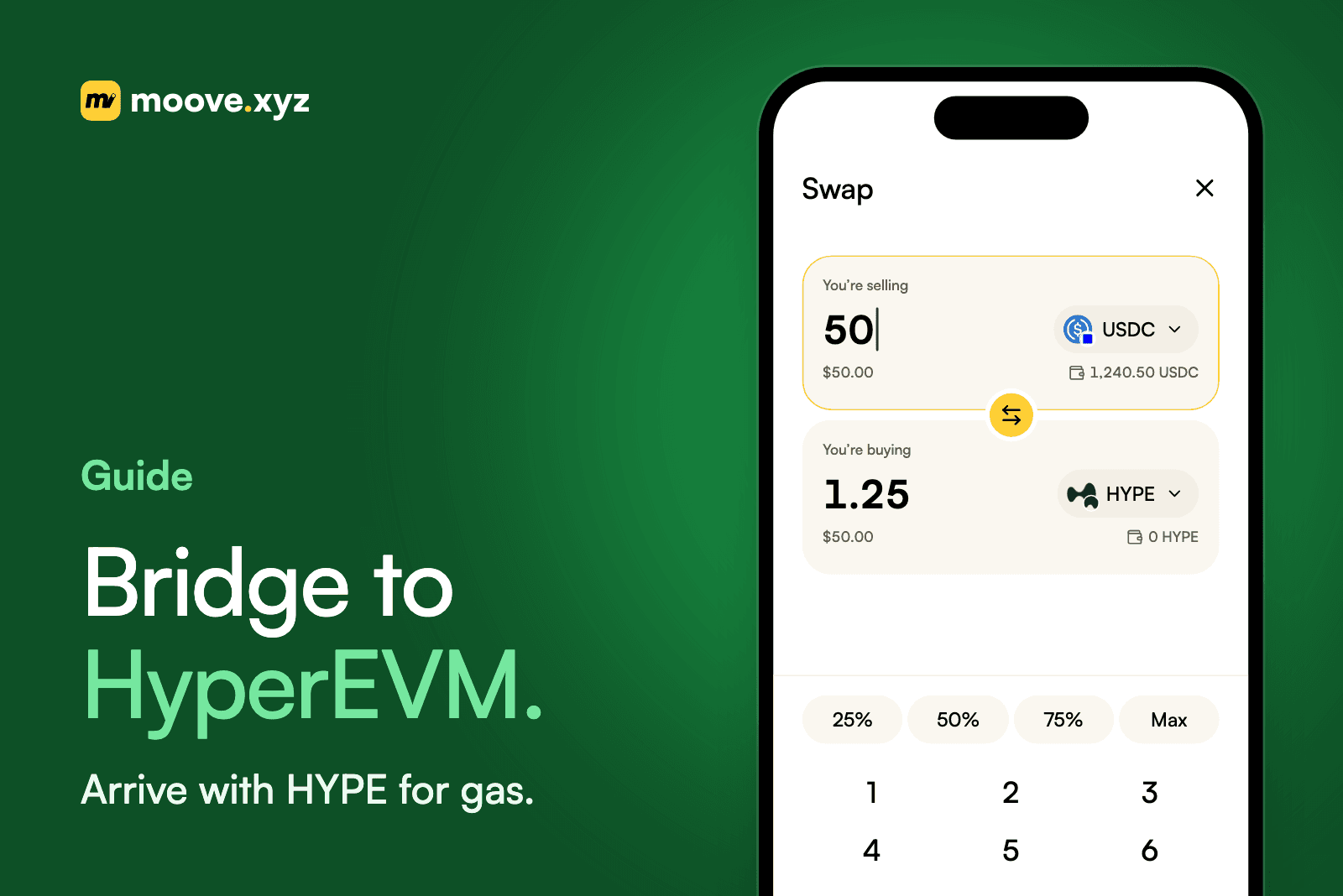
How To Bridge To HyperEVM: The Short Answer
To bridge to HyperEVM, send your tokens from another chain through a cross-chain bridge, or move them across from HyperCore if they are already on Hyperliquid. Either way, make sure you will have HYPE on HyperEVM, because HYPE pays the gas there and a balance without it cannot move.
This guide covers what HyperEVM is, the three ways in, how to add the network to your wallet, what it costs, and the checks to run before you send anything.
What HyperEVM Is, And How It Differs From HyperCore
Hyperliquid is one blockchain with two parts. Its docs describe it as a single state made of HyperCore state and HyperEVM state, both secured by the same HyperBFT consensus¹.
- HyperCore runs Hyperliquid's trading: the order books, perpetuals and spot markets you see in the Hyperliquid app.
- HyperEVM is the Ethereum-compatible side. Its blocks are built as part of Hyperliquid's execution², so smart contracts, DeFi apps and wallets such as MetaMask work there as they do on any other EVM chain.
The same token has a separate balance on each side. HYPE in your HyperCore spot balance is not in your HyperEVM wallet until you transfer it³. This is the most common source of confusion: "I bridged to Hyperliquid" can mean funds landed on HyperCore, when the app you wanted runs on HyperEVM.
You Need HYPE For Gas On HyperEVM
HYPE is the native gas token on HyperEVM². Every transaction you make there is paid in HYPE: an approval, a swap, a deposit into an app, or a transfer back out. If you arrive with only USDC, the USDC is safe but stuck until you get some HYPE.
The idea is the same as needing ETH to send USDC on Ethereum. Our guide to gas fees explains why a stablecoin cannot pay its own fee.
There are two ways around it:
- Buy HYPE on Hyperliquid and move it across. Hyperliquid's docs suggest buying HYPE with USDC on Hyperliquid, then transferring it from HyperCore to HyperEVM².
- Arrive with HYPE. If your bridge route can deliver HYPE as the destination token, you land with gas already in the wallet. Even when you are moving stablecoins, bridging a small amount into HYPE first saves a second trip.
Three Ways Into HyperEVM
1. From Another Chain With A Cross-Chain Bridge
If your funds are on Ethereum, Arbitrum, Base or another chain, a cross-chain bridge moves them directly to your address on HyperEVM. You pay gas on the source chain, plus the bridge's fee, and the tokens arrive in your HyperEVM wallet.
For USDC, the issuer matters. Circle says native USDC and its Cross-Chain Transfer Protocol (CCTP) are available on HyperEVM⁴. Native USDC is issued by Circle on the chain itself, rather than wrapped by a third party. Our guide to bridging USDC explains why that difference matters.
2. Through Hyperliquid, Then Across From HyperCore
If you trade on Hyperliquid, depositing USDC through the Hyperliquid app puts it on HyperCore⁴. To use it on HyperEVM, transfer it across. Hyperliquid's onboarding guide describes two buttons for this¹:
- Transfer to/from EVM, on the Balances table of the Trade or Portfolio pages.
- EVM <-> Core Transfer, at the top of the Portfolio page.
Each transfer between HyperCore and HyperEVM costs a small amount of gas, paid in HYPE on the side you send from³. Hyperliquid's docs also describe a system address for HYPE, 0x2222222222222222222222222222222222222222, and warn that sending any other asset to it will lose it¹. Unless you are a developer, use the buttons instead.
3. From An Exchange
Some exchanges let you withdraw directly to HyperEVM. Hyperliquid's guide advises checking that the exchange actually supports HyperEVM first¹. Withdrawing on a network the exchange calls "Hyperliquid" may land funds on HyperCore, not HyperEVM. Read the network name on the withdrawal screen carefully. If anything is unclear, send a small amount first.
Add HyperEVM To Your Wallet
Most EVM wallets need HyperEVM added as a custom network before they show your balance. Hyperliquid's docs list the mainnet details²:
| Setting | Value |
|---|---|
| Network name | HyperEVM |
| Chain ID | 999 |
| RPC URL | https://rpc.hyperliquid.xyz/evm |
| Gas token | HYPE (18 decimals) |
| Explorers | hyperevmscan.io, hyperscan.com |
Copy these from the official docs or from Chainlist's entry for chain 999¹, never from a search ad or a link in a direct message. A fake RPC or a lookalike bridge site is a common way to lose funds. Your address on HyperEVM is the same 0x address you use on Ethereum and other EVM chains.
How To Bridge To HyperEVM Safely: A Checklist
- Know which side you need. Check whether the app you want runs on HyperEVM or on HyperCore before you choose a route.
- Plan your gas. Make sure you will have HYPE on HyperEVM, or bridge some into HYPE first.
- Verify the network details. Chain ID 999 and the official RPC URL, from Hyperliquid's own docs².
- Use the bridge's real address. Type it yourself or use a bookmark. Do not follow links from replies, DMs or ads.
- Send a test amount first. Hyperliquid's guide says to always do a test transaction¹. A few dollars costs little and confirms the whole path.
- Read the quote. Compare what you will receive after fees, gas and any swap, not just the headline rate.
- Approve only what you need. Token approvals can outlive the transfer. Our non-custodial wallet security guide covers reviewing and revoking them.
- Never send non-HYPE assets to the system address. Hyperliquid's docs say they will be lost¹.
If something does go wrong, our guide to sending crypto to the wrong network covers what can be recovered and what cannot.
What Bridging To HyperEVM Costs
A bridge to HyperEVM usually has three costs:
- Gas on the source chain to start the transfer, paid in that chain's native token.
- A bridge or protocol fee, which depends on the route.
- The market cost of any swap, if you are changing tokens along the way, for example from USDC into HYPE.
Moving between HyperCore and HyperEVM costs gas only. Hyperliquid's docs put a HyperCore-to-HyperEVM transfer at 200,000 gas at the next block's base gas price³. Once on HyperEVM, every transaction costs a little HYPE, which is why arriving without any is the most expensive mistake.
Fees change with the network and the route, so treat any figure you read as a guide and check the live quote before you confirm.
Bridging To HyperEVM With moove.xyz
moove.xyz supports HyperEVM alongside its other chains, and bridging is part of the swap flow rather than a separate tool⁵:
- One flow. Pick a source token and a destination token on HyperEVM, then confirm. Choosing a destination on another chain is what makes it a bridge, with a swap on either side if needed. In the Moove App, it lives under Swap.
- Arrive with gas. Pick HYPE on HyperEVM as the destination, and you land with the gas token you need. You can also bridge most of your balance as USDC and a small amount as HYPE.
- The route is chosen for you. moove.xyz prices the move across available routes and executes the best one it finds, so there is no bridge to pick and no approvals to chain together.
- Non-custodial. Funds move from your wallet to your wallet. moove.xyz never holds them.
On pricing, moove.xyz charges a flat 0.02% protocol fee on a bridge, plus network gas on the source chain and the market cost of the route⁶. Every quote carries a slippage tolerance. If the market moves past it before the transaction runs, the transaction fails rather than filling at a worse rate, though the network fee for the attempt is still spent⁷.
When you want to move funds back out, use Bridge from HyperEVM to Ethereum or Bridge from HyperEVM to Arbitrum. If you need a different stablecoin as well, swap USDC to USDT. The Moove Swap explainer covers the swap side in more detail, and Swap and Bridge gives the overview.
Sources And How This Was Checked
- Hyperliquid Docs, "How to use the HyperEVM", checked November 11, 2026.
- Hyperliquid Docs, "HyperEVM" for developers, checked November 11, 2026.
- Hyperliquid Docs, "HyperCore <> HyperEVM transfers", checked November 11, 2026.
- Circle, "USDC on HyperEVM", checked November 11, 2026.
- Moove, "Moove Bridge" and "Moove Swap", checked November 11, 2026. HyperEVM support confirmed against the moove.xyz chain list the same day.
- Moove, pricing: How Product & Prices Work, checked November 11, 2026.
- Moove, Moove Swap API, checked November 11, 2026.
Networks, supported chains and fees change. Check each provider's own documentation before relying on a figure. This is general information, not financial advice. Hyperliquid, HyperEVM and HyperCore belong to their respective owners, and Circle, USDC and CCTP are trademarks of Circle Internet Group. moove.xyz is not affiliated with or endorsed by Hyperliquid or Circle.
Move Funds Onto HyperEVM In One Step
Open Moove Swap at moove.xyz, choose where your funds are, pick USDC or HYPE on HyperEVM as the destination, and confirm once.
About moove.xyz
moove.xyz is a global Web3 fintech platform built for the permissionless and effortless movement of value. We empower businesses and consumers anywhere to send, receive, stake, and swap any cryptocurrencies across any blockchains, all in one single platform.
We are one of the first Web3 fintech companies globally to innovate and build a full-stack crypto payments and decentralised finance infrastructure, enabling an integrated and comprehensive coverage across multi-chain wallet access, personalised wallet handles, cross-chain token swaps, embedded cross-chain transactions and a decentralised social financial network. Our key products include Moove Profile, Moove Send, Moove Receive, Moove Stake, Moove Swap, Moove Rewards, Moove Discover and more.
Our mission is simple — to create and distribute permissionless and effortless financial technology for the next 1 billion Web3 users. We fundamentally believe that the future of the movement of money and value shall be costless, borderless, permissionless, effortless, and built for everyone — and we're building the ultimate Web3 fintech platform to make that future real.
Your money. Your move.